The service they came for.
The bot shows your services, and the customer chooses what to book.
 CRAD.
CRAD. The CRAD bot books customers through WhatsApp. Manage your calendar and team from your phone.
Customers stay in WhatsApp. Bookings reach your calendar. No extra customer app.

Haircut · Karim
From a message to your calendar.Customers choose in WhatsApp. Their appointment details arrive in your calendar, ready for the working day.
The bot shows your services, and the customer chooses what to book.
Available times reflect the service duration, your opening hours and your team’s schedule.
Once booked, the customer, service, time and team member appear together in your calendar.
The bot shows your services, and the customer chooses what to book.
Available times reflect the service duration, your opening hours and your team’s schedule.
Once booked, the customer, service, time and team member appear together in your calendar.
Illustrative demo with sample data. No real appointment is booked.
See who’s next, manage your team’s appointments and check customer details. Your calendar stays with you, between customers.
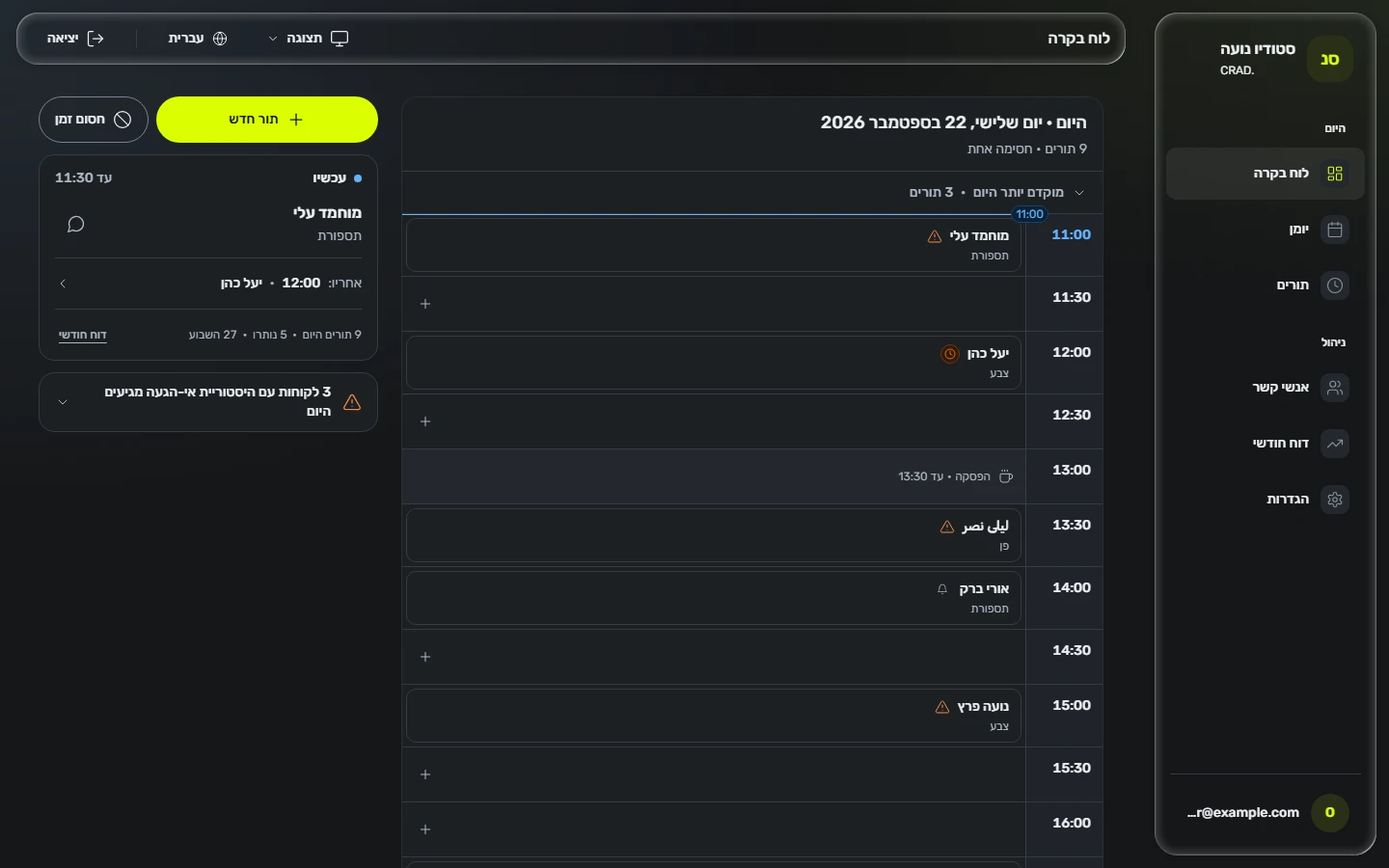
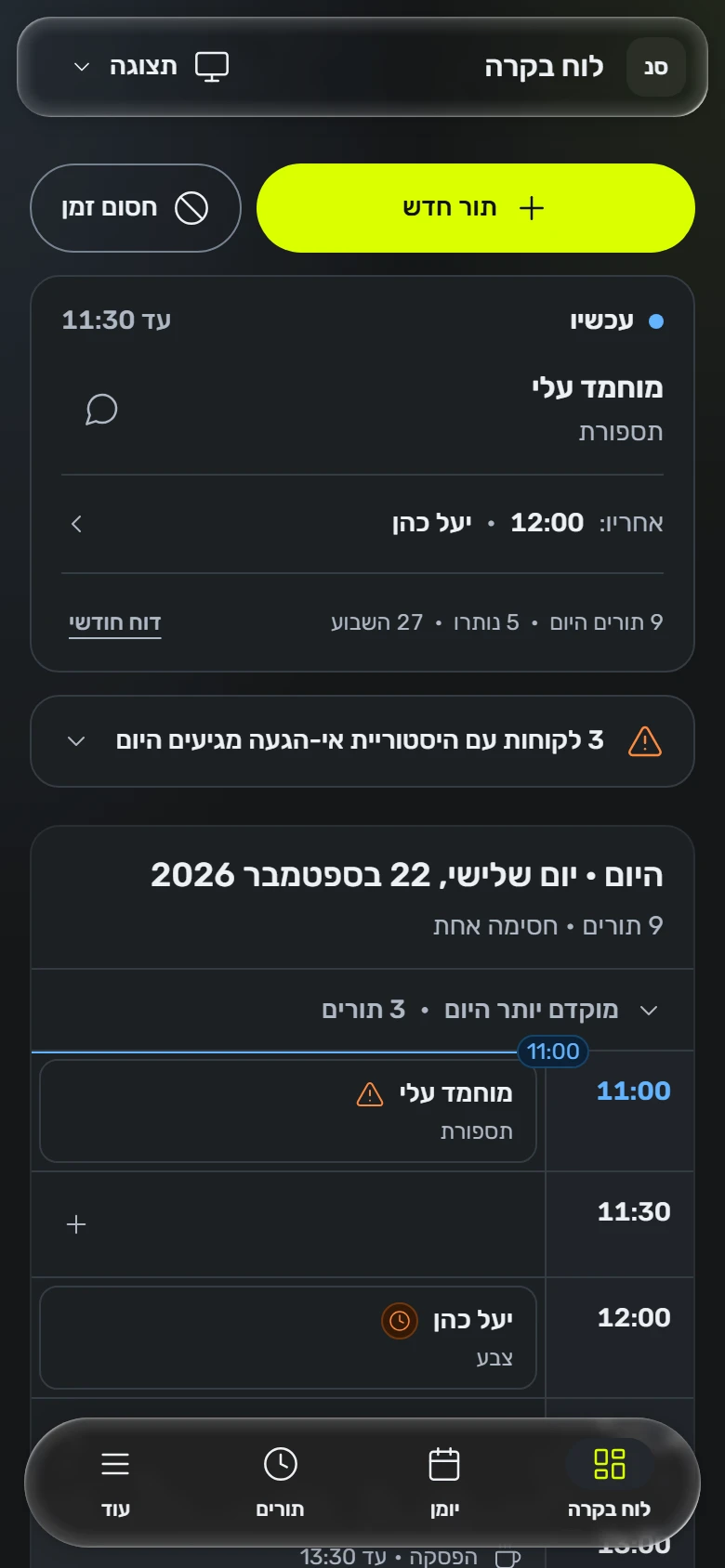
Your next appointment and the rest of the day’s schedule, right on your phone.
Set your services, durations and working hours so bookings fit your business.
Follow the team’s appointments and see who each booking is with, alongside client and service details.
We review your services, team and opening hours together, check WhatsApp connection requirements and test the booking flow before launch.
Working in another field? Tell us how you take bookings and we’ll check the fit.
We review your services, team and working hours, then agree on a booking flow.
We configure your business and check your number’s requirements and connection options.
We test a booking with you, from message to calendar, and walk you through managing your day.
A website, advertising, content or automation. We start with what your business needs and agree on the work together.
A clear introduction to your business that makes it easy for people to get in touch.
Prepare your messageCampaign planning and management, with a message built around your audience and goal.
Prepare your messageVisual and written content that explains your services and keeps your identity consistent.
Prepare your messageWe review recurring tasks and identify what can be connected or simplified.
Prepare your messageNo. Clients book through WhatsApp. You and your team manage appointments in CRAD through a browser.
We review your number and business account before connecting it. Using the same number while keeping the WhatsApp Business app depends on account eligibility and the connection options available.
CRAD supports Arabic, Hebrew and English. We review the booking language and business settings with you during setup.
By the services and their durations, team members and working hours set in the system. We configure these with you and test the booking flow before you start.
Tell us about your business on WhatsApp. We’ll discuss your needs, pricing and connection steps. Setup timing is confirmed after we review your account and business requirements.
Working solo or with a team? Tell us about your business, and we’ll discuss the right setup and cost.
Open WhatsApp052-847-6224Choose a service and tell us what we should know. We’ll prepare a message to open in WhatsApp. Review and edit it before you send.